
What are the steps in the mobile app development process?
The mobile app development process step by step: discovery, scope, UX design, architecture, build sprints, testing, store release and life after launch.
MegaViz Team · · 8 min read
- Mobile app development
- App development process
- Planning
- Android
- iOS
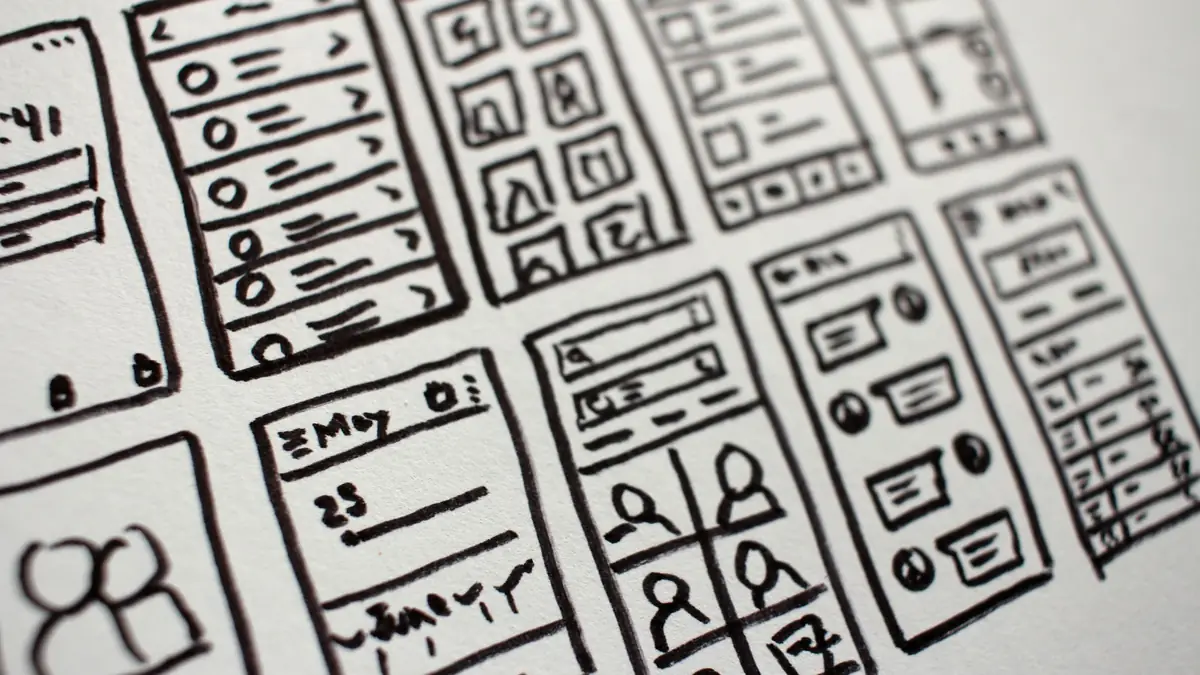
The mobile app development process runs in seven steps: discovery, scope, UX and UI design, technical architecture, development in sprints, testing, and release to the app stores, followed by ongoing maintenance. Each step produces something you can review before money is spent on the next one. Skipping a step rarely saves time; it usually moves the problem to a more expensive moment.
This guide explains what happens in each step, what you should receive at the end of it, and what you as the owner need to provide. It does not give timelines or prices, because both depend on your app and your scope.
What happens before any design or code?
Before any design or code, there is a discovery step: the team learns who the app is for, what job it does for them, how the business will measure success and what already exists. The output is a short written brief that everyone agrees on. Without it, designers and developers fill the gaps with guesses.
Good discovery covers:
- The users. Who will open the app, how often, on what kind of phone and in what situation. A delivery driver on a slow network needs different things from an office manager on Wi-Fi.
- The core job. The one or two things the app must do well. Everything else is secondary.
- Business goals. Orders, bookings, fewer support calls, field data collected faster. Pick measures you can actually track.
- What exists today. Websites, spreadsheets, an ERP, a CRM, a payment provider. These decide what the app must connect to.
- Constraints. Deadlines, budget range, compliance needs and any rules your industry follows.
How do you decide what goes into the first version?
You decide what goes into the first version by listing every feature idea, then keeping only the ones the core user needs to complete the core job. The rest goes on a later list. A smaller first release reaches real users sooner, and their behaviour tells you what to build next better than any meeting can.
A simple way to sort features:
- Must have: without it, the app does not do its job.
- Should have: important, but the app is still useful without it for a few weeks.
- Later: good ideas that can wait for evidence.
Write the result down as a requirements document, with user roles, screens, rules and integrations. Our guide on how to scope an MVP goes deeper on this step, and the free software requirements template gives you a structure to fill in.
What happens in UX and UI design?
In UX and UI design, the team turns the scope into user flows, wireframes and then finished screen designs, usually with a clickable prototype you can try on a phone. UX decides how the app works and in what order. UI decides how it looks. Both should be approved before development starts, because changing a design is far cheaper than changing code.
What you should see in this step:
- User flows: the path through the app for each main task, such as sign up, place an order or submit a report.
- Wireframes: simple layouts of each screen without colour or images, to agree on structure.
- Visual design: the finished look, following your brand and each platform's conventions.
- Prototype: linked screens you can tap through, ideally shown to a few real users.
- Design handoff: specifications, assets and states (empty, loading, error) for developers.
For more detail, see what happens in UI/UX design before development starts.
If the two terms are used loosely in your team, our explainer on UI vs UX separates them.
How is the technical approach chosen?
The technical approach is chosen by matching the app's needs to a platform strategy, a backend and the services it must integrate with. The main decisions are native or cross-platform, where data is stored, how users sign in, and which third-party services are used for payments, maps, messages and notifications. These choices shape cost, speed and maintenance for years.
The decisions to expect:
| Decision | Typical options | What it affects |
|---|---|---|
| Platform strategy | Native (Kotlin, Swift) or cross-platform (React Native, Flutter) | Cost, shared code, access to device features |
| Backend | Custom API and database, or a managed backend service | Flexibility, hosting cost, data ownership |
| Sign-in | Email and password, OTP by SMS, Google or Apple sign-in | Security, user friction |
| Integrations | Payment gateway, maps, SMS, CRM, ERP | Effort, external dependencies |
| Admin tools | Web admin panel for staff | Who can manage content, users and orders |
If you are weighing the two most common cross-platform frameworks, read React Native vs Flutter.
What does the development step look like?
The development step is usually run in short sprints of one to two weeks. At the start of each sprint the team picks a set of features from the agreed list; at the end it shows working software in a demo and shares a test build you can install. Work moves in small, visible pieces, so problems surface early.
During development you should expect:
- A backlog you can see, showing what is done, in progress and waiting.
- Regular demos of working features, not just progress reports.
- Test builds on your own phone through internal testing tracks such as Google Play internal testing or Apple TestFlight.
- Questions from the team about rules and edge cases. Quick answers keep the work moving.
- Code in a repository you own, so the work is yours whatever happens.
Changes will come up. A good team records each one, explains its effect on time and cost, and lets you decide. How changes are billed depends on your contract model; see fixed price vs time and materials.
How is a mobile app tested?
A mobile app is tested on real devices and simulators across the phone models and operating system versions your users have, covering functions, performance, slow or lost connections, security and accessibility. Testing runs throughout development, not only at the end, with a final round of acceptance testing by your team before release.
The main kinds of testing:
- Functional testing: every feature does what the requirements say, including error cases.
- Device testing: different screen sizes, older phones and the operating system versions you support.
- Network testing: slow connections, going offline and coming back, poor signal.
- Performance testing: start-up time, scrolling, battery and data use.
- Security checks: how data is stored on the phone, how it travels to the server, and who can see what.
- Accessibility: readable text sizes, contrast, screen reader labels and touch targets.
- User acceptance testing: your team uses the app for real tasks and signs off.
For what each kind of testing covers and the evidence to ask for, see our guide to types of software testing.
How does an app get into the app stores?
An app gets into the stores by being submitted to Google Play and the Apple App Store from developer accounts in your company's name, with a store listing, screenshots, a privacy policy and answers to each store's data and content questions. Each store reviews the app before it goes live, and either can reject it for policy reasons.
Release checklist:
- Developer accounts for Google Play and Apple, registered to your business, not to the agency or a developer.
- Store listing: name, short and long description, icon, screenshots and category.
- Privacy details: a published privacy policy and the data-use declarations each store asks for.
- Review notes: test login details and instructions so reviewers can reach every screen.
- Staged rollout: release to a share of users first where the store allows it, watch crash reports, then widen.
Store rules change regularly, so check the current Google Play and Apple guidelines before you plan your release date.
What happens after launch?
After launch, the work moves to monitoring, fixing issues real users find, keeping up with new Android and iOS versions and store rules, and improving the app based on what people actually do. A first version is the start of the product, not the end of the project, so plan the budget for ongoing work from the beginning.
The first weeks after launch should include crash and error monitoring, analytics on the key tasks you defined in discovery, a channel for user feedback, and a short list of improvements ranked by evidence. For what ongoing support should cover, read what software maintenance includes.
What should you ask a team about their process?
Ask a team to walk you through each step with examples of what you would receive: a brief, a scope, wireframes, a demo, a test build, a release plan. Ask who your day-to-day contact is, how changes are handled, how often you see working software and who owns the code and store accounts.
Useful questions:
- What do we receive at the end of discovery and design, before development starts?
- How long are your sprints, and how will we see progress?
- How do you test on real devices, and which ones?
- Who owns the code repository, the developer accounts and the backend hosting?
- What happens after launch, and what does support cover?
To get a first range for your idea, try the app cost estimator, and see what drives the number in mobile app cost drivers. Our mobile app development page explains how we run these steps, and you can get in touch to talk through your app.